
تحميل وندوز 11 Windows 11 23H2 (22631.2361) | Genuine Microsoft Multi Edition ISO مفعل
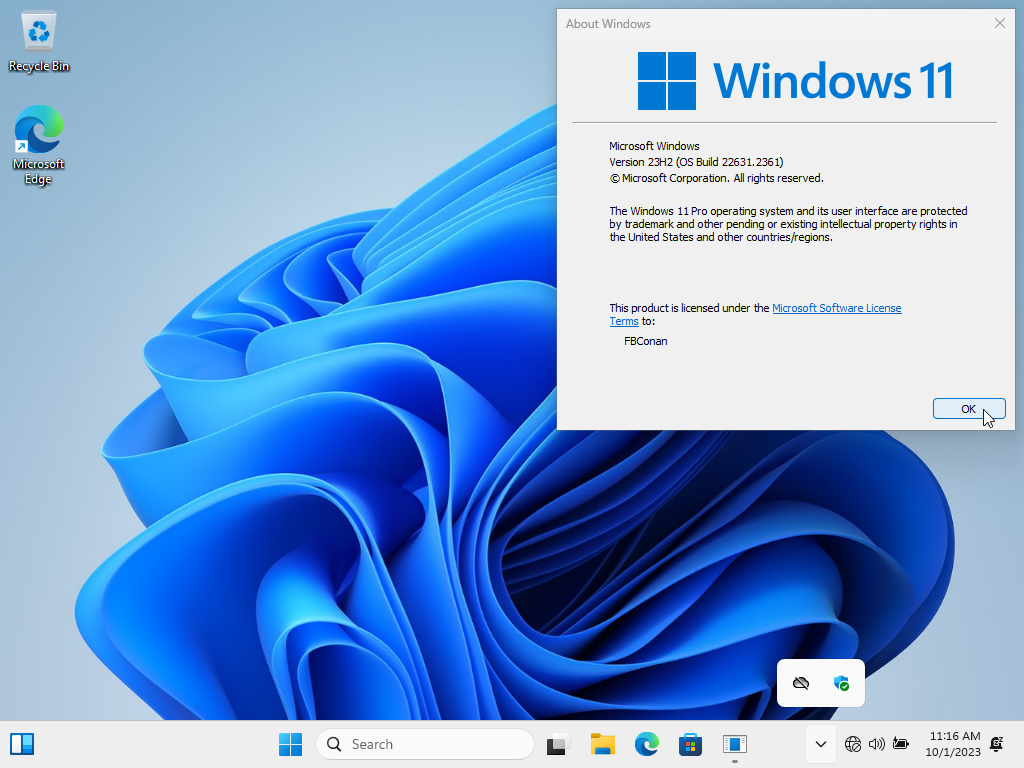
Windows 11 23H2 (22631.2361)
Genuine Microsoft ISO (Multi Edition)
➡️ 100% Original, Untouched, Genuine Windows 11 23H2 ISO.
➡️ Downloaded Directly from Microsoft's Servers.
➡️ ISO Notes:
There are no changes to this ISO. It is original and genuine, the way Microsoft Intended.
Default language is En-US. All additional languages are supported after installation.
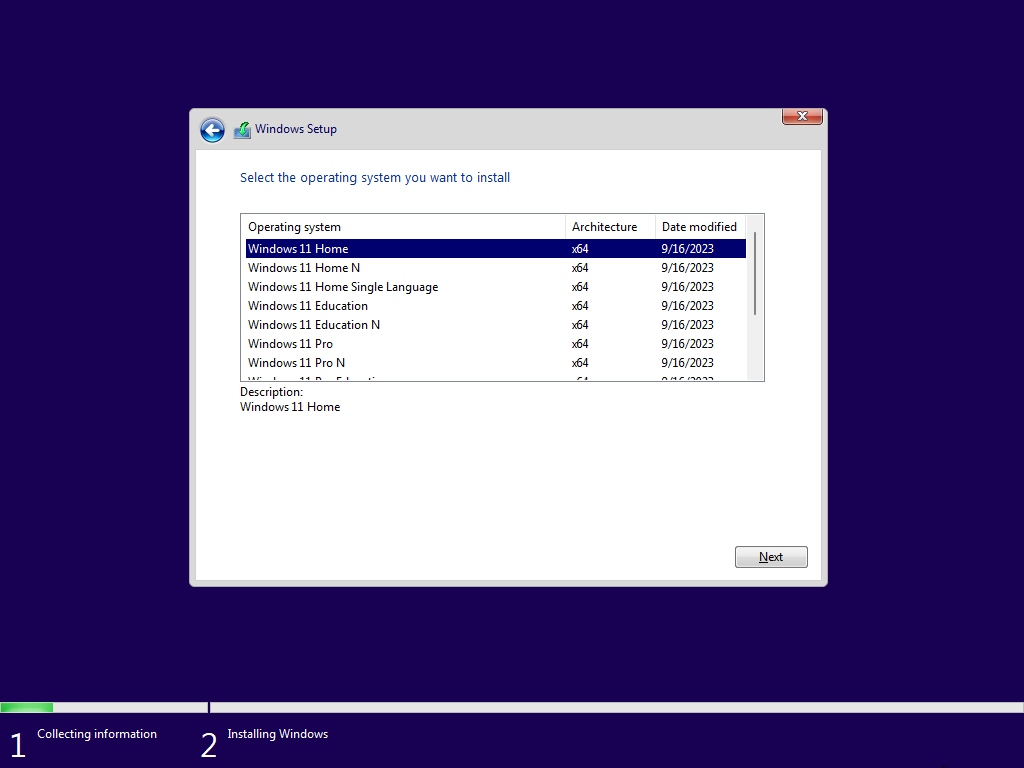
This Genuine ISO includes 11 editions - Home, Home N, Home Single Language, Education, Education N, Pro, Pro N, Pro Education, Pro Education N, Pro for Workstations, and Pro N for Workstations.
➡️ Installation Instructions:
Unzip downloaded files to extract ISO from archive.
Use your preferred method to write the ISO to a USB Drive.
Boot from the USB Drive, and Install Windows 11 23H2 to your desired partition.
Also supports in place upgrade on PC's that meet Microsoft's minimum requirements.
Requires 2GB RAM and 12 GB Storage Space (if using bypass method given below).
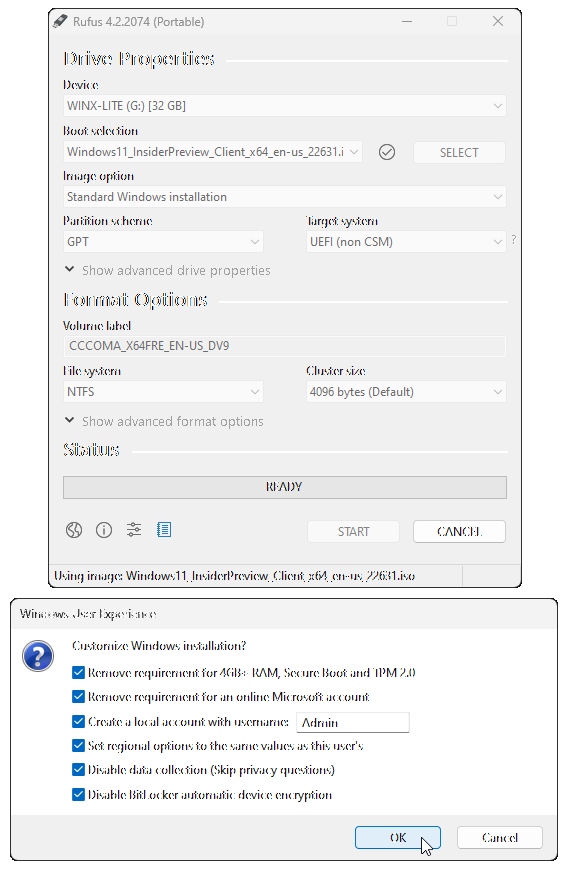
Alternately, when using the latest versions of Rufus to write the ISO to a bootable USB, you can select options to bypass Microsoft's minimum requirements.
Spoiler: How to install this Genuine 23H2 ISO on ANY PC!
If your PC doesn't meet the minimum requirements Microsoft has in place for you to install Windows 11, follow the steps below to bypass those requirements, and also learn how to bypass having to be connected to the internet, or having to create an online account to finish Setup.
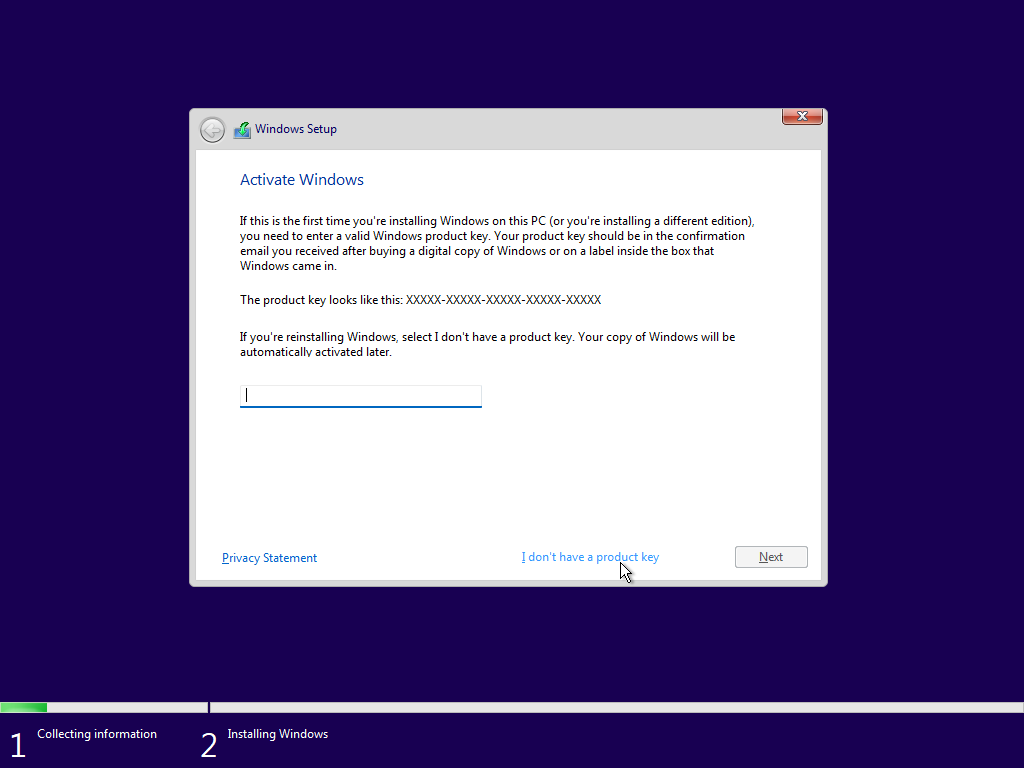
When you get to this screen, before clicking on 'I don't have a product key' to proceed, hit SHIFT+F10 to open cmd prompt. then type 'regedit' in cmd prompt, and hit enter.
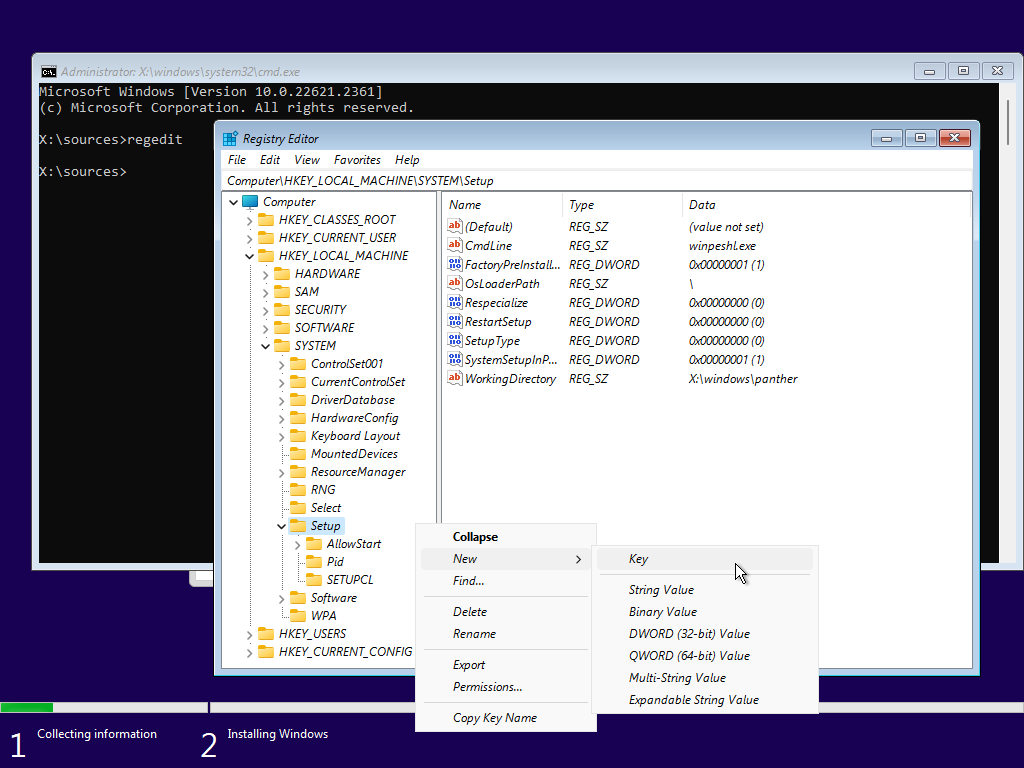
In regedit, go to 'HKEY_LOCAL_MACHINE\SYSTEM\Setup' and right click 'Setup' followed by 'New' then 'Key' then input 'LabConfig' and hit enter.
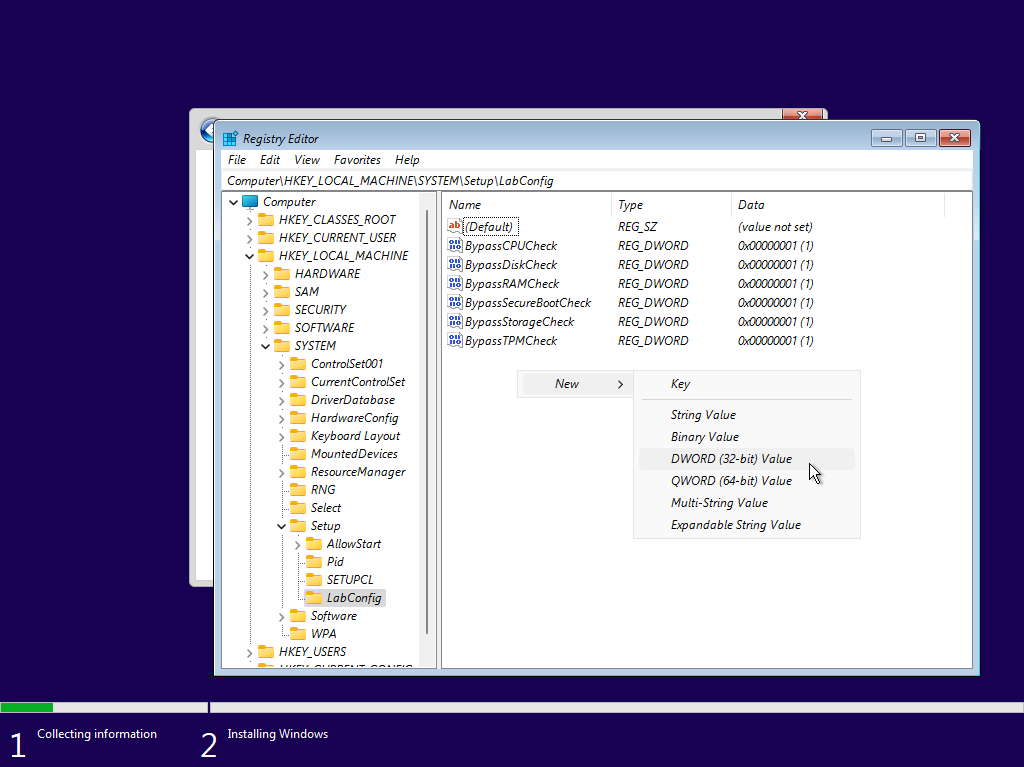
In the LabConfig Key, right click the right hand pane, and select 'New' 'DWORD (32-bit Value)' and create the following 6 New DWORD Values:
BypassCPUCheck
BypassDiskCheck
BypassRAMCheck
BypassSecureBootCheck
BypassStorageCheck
BypassTPMCheck
Followed by changing the value for each entry to '1'
You can now close regedit, and click on 'I don't have a product key' to proceed with installation.
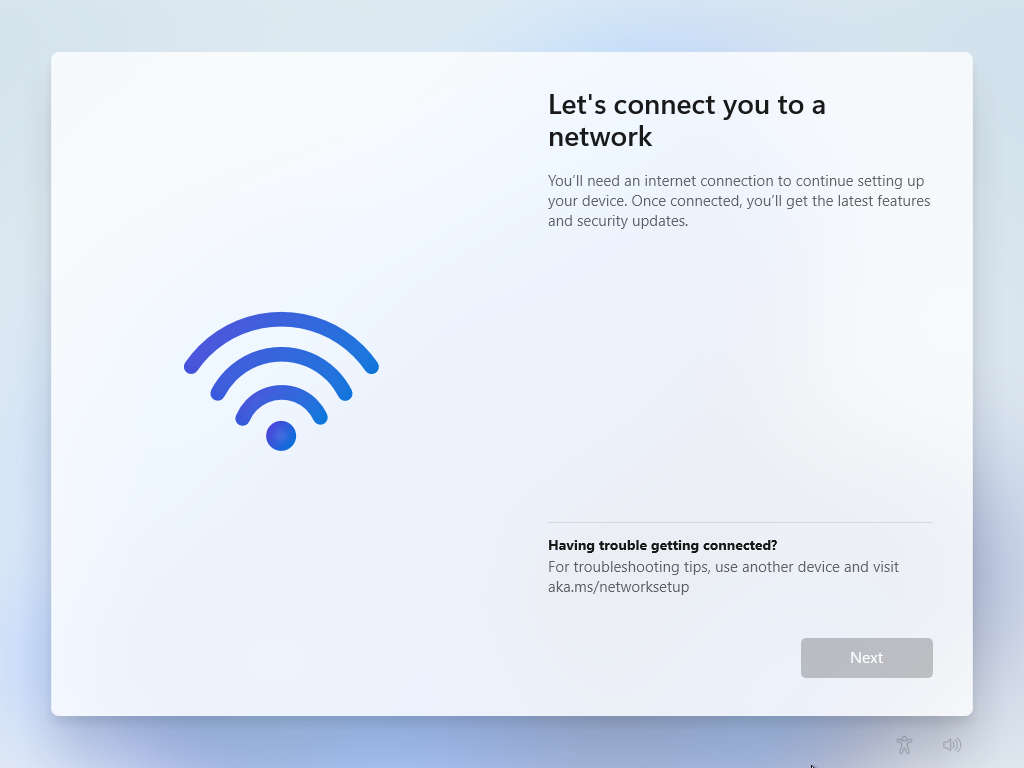
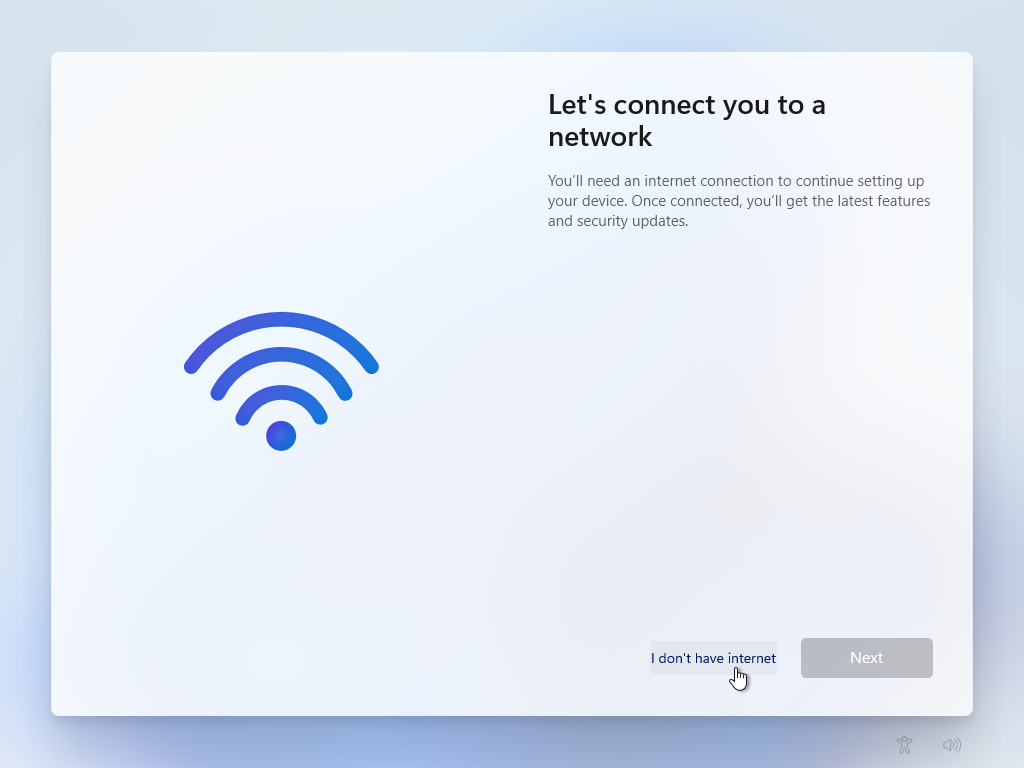
When you get to this screen, if you don't have an internet connection, or just want to bypass being forced to create or sign in to an Microsoft Account to finish setting up Windows, hit SHIFT+F10 to open cmd
and then in the cmd window, type 'oobe\bypassnro' and hit enter. Your PC will restart, and go through the setup steps again.
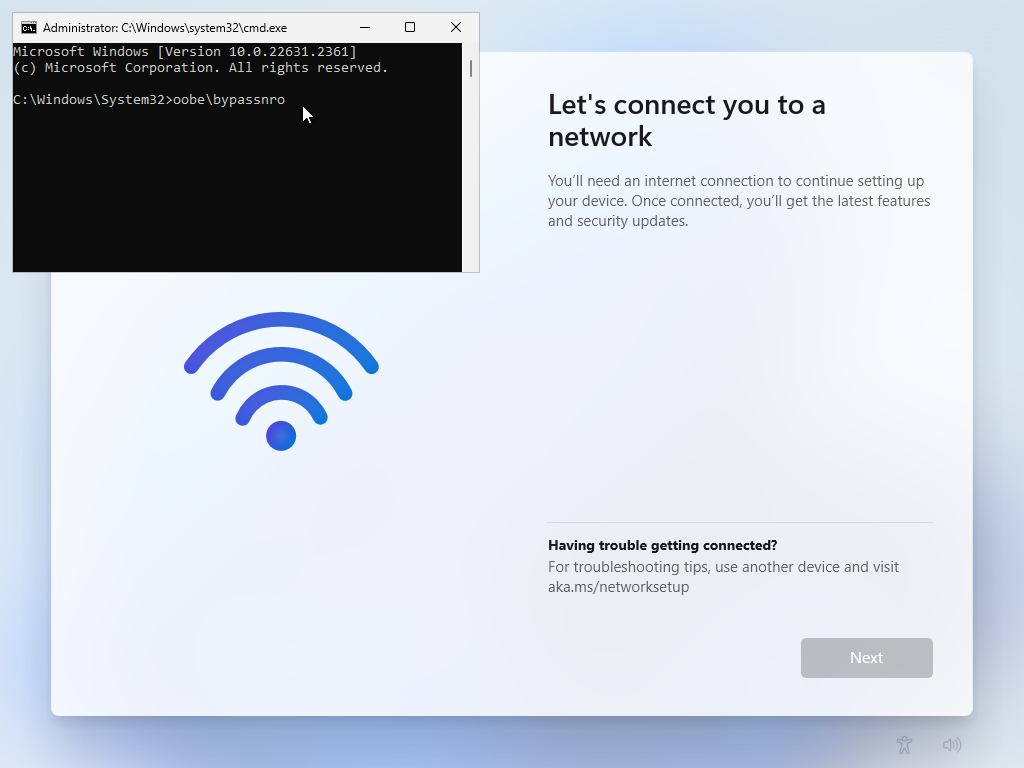
But this time allowing you to select 'I don't have internet' and proceeding to finish Setting up by creating an offline local account.
Spoiler: Or do it the easy way! (With Rufus)
Another method you can use to bypass the minimum requirements required for Windows 11 Installation, and also bypass forced MS account creation during Setup, is by using Rufus to write the ISO to USB, and checking the boxes for whatever bypasses / modifications you would like in place when writing the ISO to USB
➡️RUFUS 4.2p DOWNLOAD LINK
Spoiler: MD5 Checksum Hashes
PART 1: 6386f27873b2a906bb4a45c9257c2250
PART 2: 08fc91c1c756302f01db767c20bcc136
PART 3: a86264d9086bf72f0f07ba62467aa813
PART 4: 04ef6e85a68ea0c497ce6d552fd18ced
ISO: 15452e1dcde9ccf285aa1fe68d13fe39
Spoiler: Screenshots
DOWNLOAD LINKS:
➡️PART 1 (USERSDRIVE)
➡️PART 2 (USERSDRIVE)
➡️PART 3 (USERSDRIVE)
➡️PART 4 (USERSDRIVE)
ALTERNATE INTERCHANGEABLE DOWNLOAD LINKS:
➡️PART 1 (UPLOADRAR)
➡️PART 2 (UPLOADRAR)
➡️PART 3 (UPLOADRAR)
➡️PART 4 (UPLOADRAR)

يشاهدون الموضوع الآن 1