
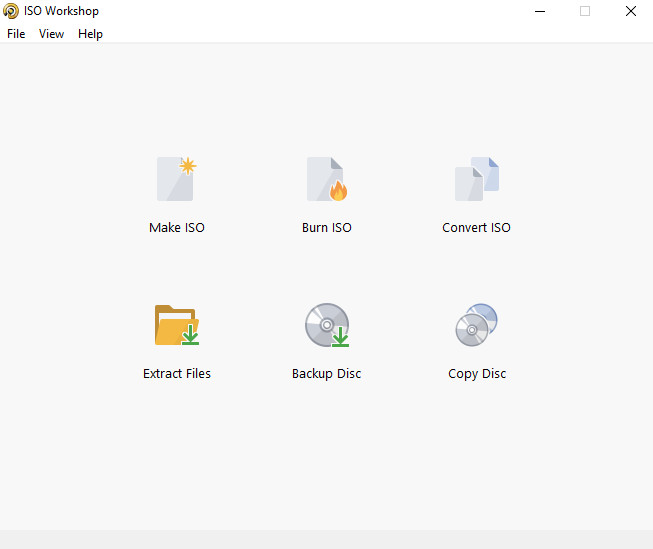
This application is designed to facilitate disc image management, conversion, and burning operations.It has a straightforward user interface and enables you to make ISO images,Extract specific files and folders from disc images, create disc backups by copying disc contents to an ISO or BIN image file,Convert different disc image files into the ISO or BIN format, and, of course, burn ISO and CUE images to blank discs.
Features of ISO Workshop
Make standard and bootable ISO imagesExtract files and folders from the disc imageCopy disc to disc image (including Audio CD)Convert disc image to ISO or BIN formatBurn ISO or CUE/BIN image to discSupports common formats (ISO, CUE, BIN, NRG, MDF, CDI, etc.)Supports CD-R/RW, DVD-R/RW, DVD+R/RW, DVD+R DL, BD-R/RESupports verification of written files
Technical Details and System Requirements
Supported OS: Windows 11, Windows 10, Windows 8.1, Windows 7RAM (Memory): 2 GB RAM (4 GB recommended)Free Hard Disk Space: 200 MB or moreFile Size: 8.3 MB


Run Silent Install.cmd

حميل البرنامج بملف تورنت
file-upload
يشاهدون الموضوع الآن 1